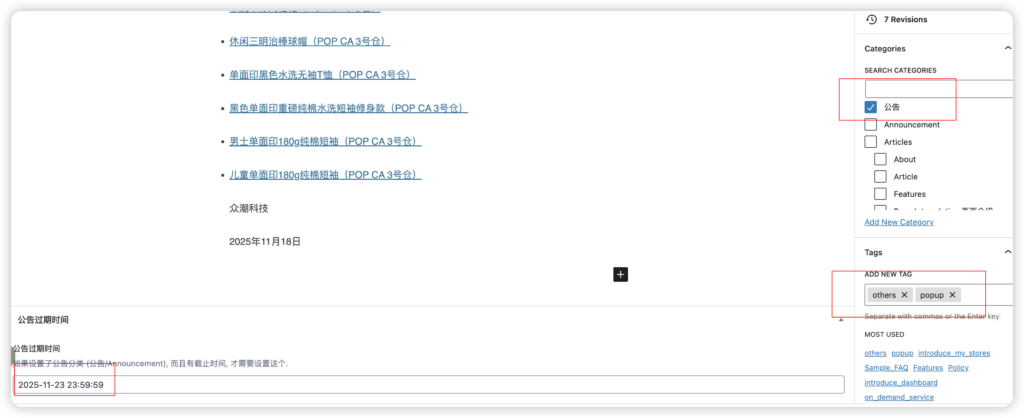
- 编写公告的标题和内容
- 选择分类。popcn选“公告”,popcom选“Announcement”
- 设置标签。选择其中一个 new_products,new_functions,shipping,promotions,others
- 如果要弹框 1. 设置标签 popup 2. 设置公告过期时间
- 发布
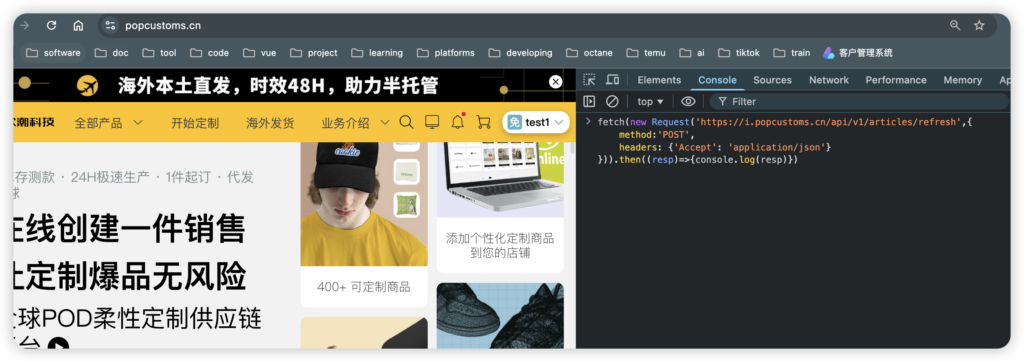
如何立即在pop网站显示公告:
在pop网站,如popcustoms.cn, 打开开发者工具-console
输入
如果是popcom:
fetch(new Request(‘https://ius.popcustoms.com/api/v1/articles/refresh’,{
method:’POST’,
headers: {‘Accept’: ‘application/json’}
})).then((resp)=>{console.log(resp)})
如果是popcn:
fetch(new Request(‘https://i.popcustoms.cn/api/v1/articles/refresh’,{
method:’POST’,
headers: {‘Accept’: ‘application/json’}
})).then((resp)=>{console.log(resp)})
输入后直接按回车,然后刷新网站,没出现多刷几次
图例