Currently, POPCUSTOMS supports connecting to Shopify/ Etsy/ WooCommerce/ BigCommerce.
Wix, Amazon, and other E-commerce platforms sellers can sync products and orders manually.
Currently, POPCUSTOMS supports connecting to Shopify/ Etsy/ WooCommerce/ BigCommerce.
Wix, Amazon, and other E-commerce platforms sellers can sync products and orders manually.
Your customer place orders in your store, the payment will be paid to us and we’ll send the profit to your account on POPCUSTOMS. Your customer’s orders will come to POPCUSTOMS automatically and we’ll ship them to your customers directly. You don’t have to do anything but just collect the earning from your sales.
Car Seat Cover Installation Guide
This video will guide you on how to install the car sunshade when you receive it.
In this video, you’ll see how to install the full set car seat covers when you receive them.
*Hooks will be shipped with the products.
This video will guide you on how to make a folded shoe box to 3D when you receive it.
Four steps to make it easy to sell with POPCUSTOMS,
Step 1: Sign up for your account on POPCUSTOMS
Click here to sign up. https://popcustoms.com/login
Step 2: Create your product
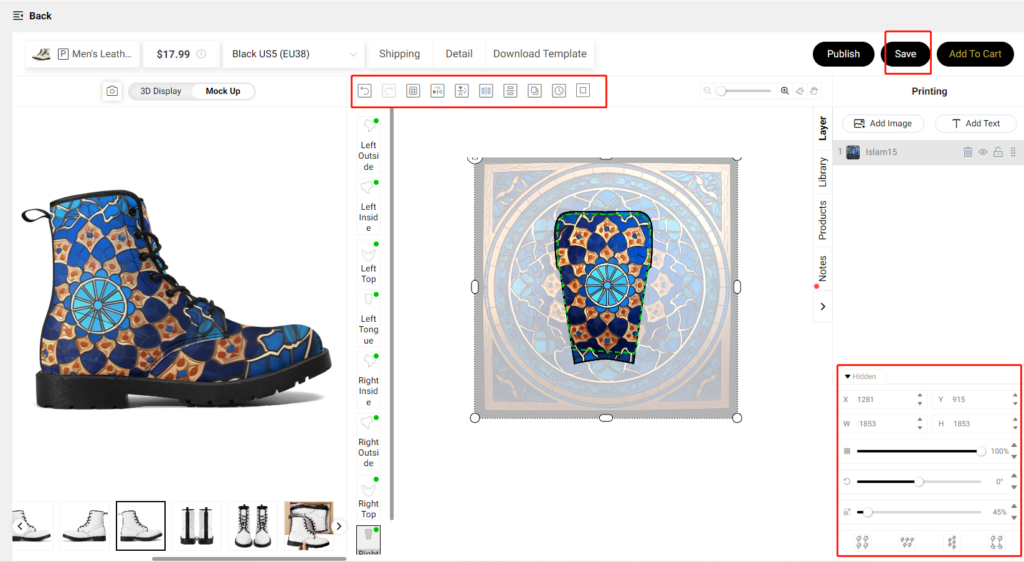
Pick a product on our Products page, upload an image to create then save your design. Go to Dashboard -> My designs to find your designs.
Step 3: Connect your store
If you have an online store, you can connect your store to POPCUSTOMS; If you don’t have an online store or your online store is not allowed to connect to POPCUSTOMS yet, please create a custom store to sync products and orders.
Step 4: Start selling
If you have connected your store to POPCUSTOMS, you can sync products to your online store and start selling easily; If you don’t have an online store or your online store is not allowed to connect to POPCUSTOMS yet, can use CSV fil exported and imported to sync products and orders between your store and our website.
Join us now!
Step 1: Sign up for your account and log in.

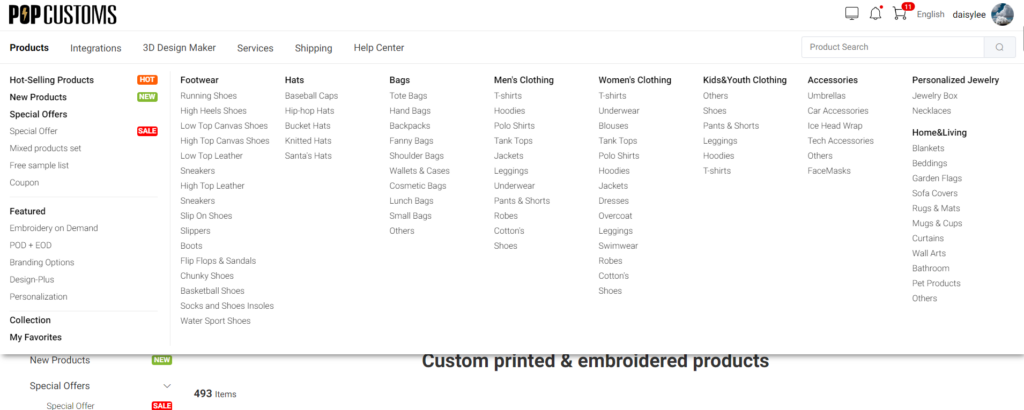
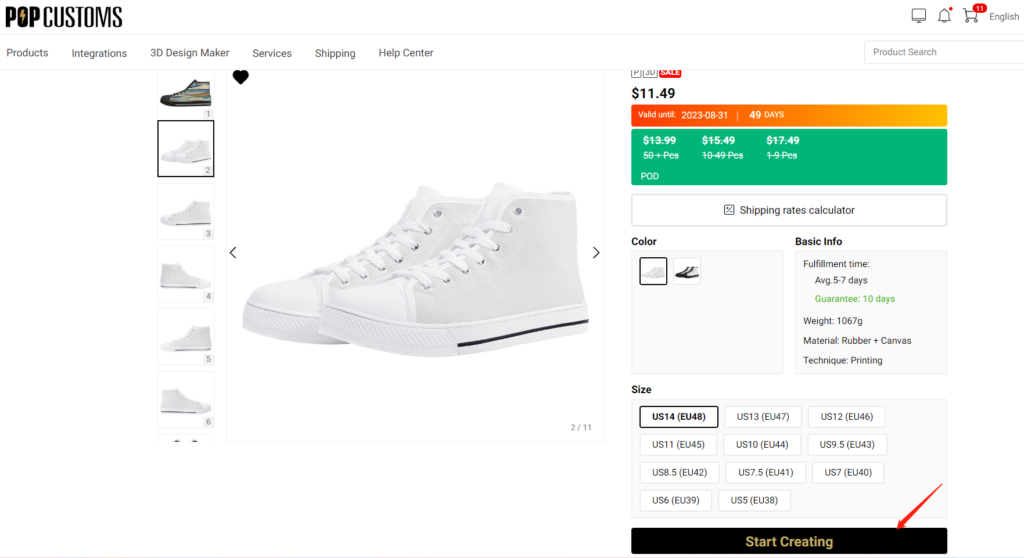
Step 2: Pick a product from our product categories, and click Start Creating to design.
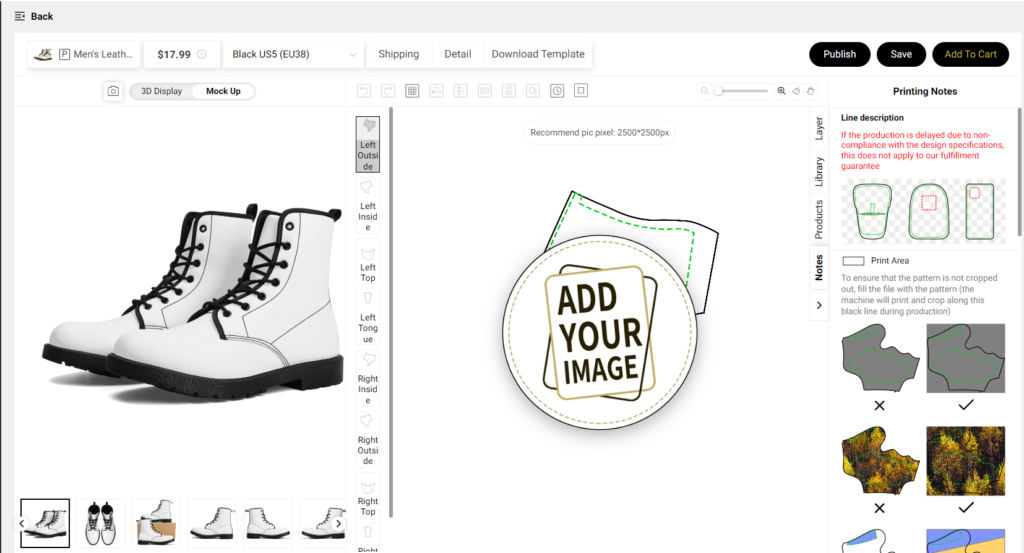
Step 3: Click ADD YOUR IMAGE button to upload your image, or you can click the Library -> Sotocool to choose free image provided by us.
Step 4: Use our design tools to adjust your designs to fit the mockups perfectly, click the Save button to save it or Add To Cart to purchase after finish the design.